mirror of https://github.com/lxndrblz/anatole.git
Anatole is a beautiful minimalist two-column hugo theme based on farbox-theme-Anatole.
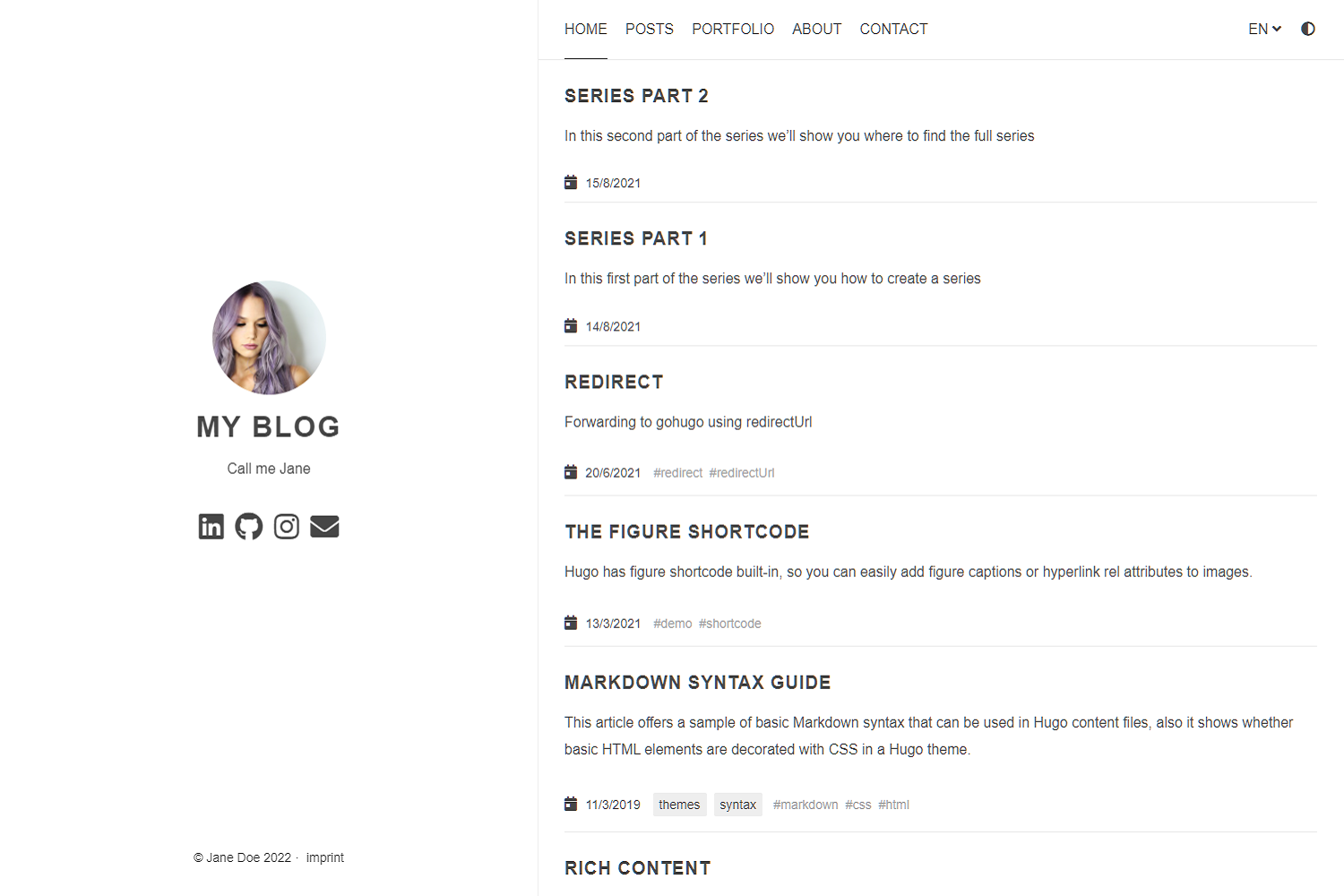
Anatole's aims to be minimalistic and sleek, but still brings some great functionality.
Features include:
- Profile picture and slogan
- Navigation items
- Pagination
- Google Analytics (optional)
- Comments powered by Disqus (optional)
- Katex support (optional)
- MIT License
- Fontawesome icons
- Custom CSS (optional)
- Medium like zoom for images
git clone https://github.com/lxndrblz/anatole.git anatole
cd anatole/exampleSite
hugo server --themesDir ../..
git submodule add https://github.com/lxndrblz/anatole.git themes/anatole.config.toml. Feel free to copy the demo config.toml and some content from the exampleSite.hugo serve and admire the result at http://localhost:1313/.If you want to get the latest update of the Anatole theme please execute this command: git submodule update --remote --merge
Ìn this section I'll discuss the custom parameters available within the config.toml. The complete sample can be found in the exampleSite folder.
[params]
title = "I'm Jane Doe"
author = "Jane Doe"
description = "Call me Jane"
profilePicture = "images/profile.jpg"
Non-content entries can be added right from the config.toml file.
```toml
[menu]
[[menu.main]]
name = "Home"
identifier = "home"
weight = 100
url = "/"
[[menu.main]]
name = "Posts"
weight = 200
identifier = "posts"
url = "/post/" If you want to add content to menus, please see the `about.md` file as an example.
menu: main
name: "About"
weight: 300 ### Comments powered by Disqus No comment section is shown on the `single.html`, unless a disqus code is specified in the `config.toml` file. toml
disqusShortname = "XXX" ### Google Analytics To use Google Analytics, a valid tracking code has to be added. If you don't want to load the code, then commend out the parameter. toml
googleAnalytics = "UA-123-45"
```
## Math settings
[params.math]
enable = false  # options: true, false. Enable math support globally, default: false. You can always enable math on per page.
use = "katex"  # options: "katex", "mathjax". default is "katex".
You can add your custom CSS files with the customCss parameter of the configuration file. Put your files into the static/css directory.
customCss = ["css/custom1.css", "css/custom2.css"]
The theme is compliant with most strict CSP policies out of the box. A sample CSP for an Anatole-based site would look something like this:
Content-Security-Policy "
  base-uri 'self';
  connect-src 'self';
  default-src 'self';
  frame-ancestors 'none';
  font-src 'self' stackpath.bootstrapcdn.com;
  img-src 'self';
  object-src 'none';
  script-src 'self';
  style-src 'self' stackpath.bootstrapcdn.com;
"
Anatole is licensed under the MIT license.
This theme is maintained by its author Alexander Bilz. Please open an issue/pull request if you want to contribute in making this theme better and more feature-complete.


