mirror of https://github.com/micromata/borgbackup-butler.git

README.adoc
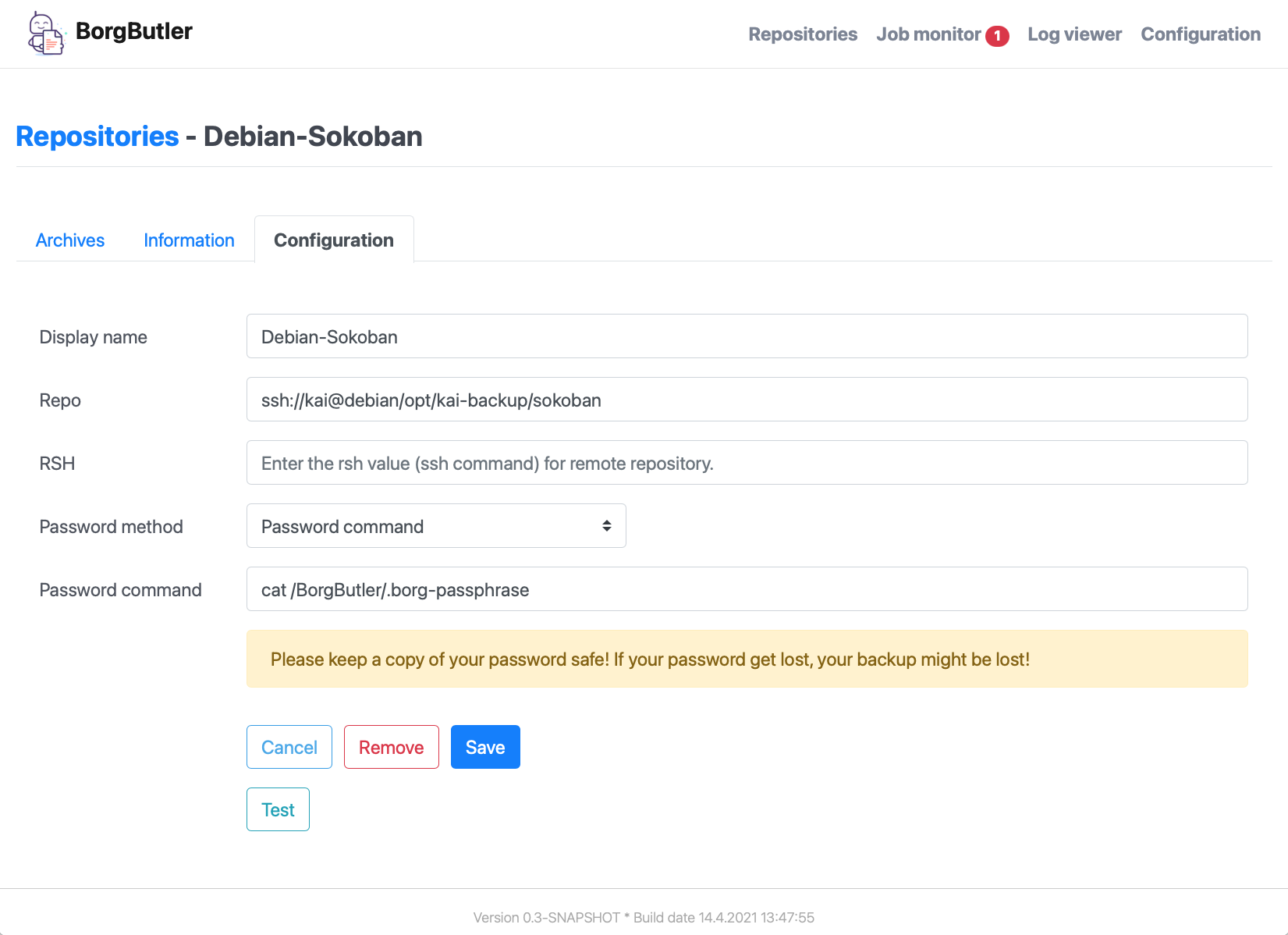
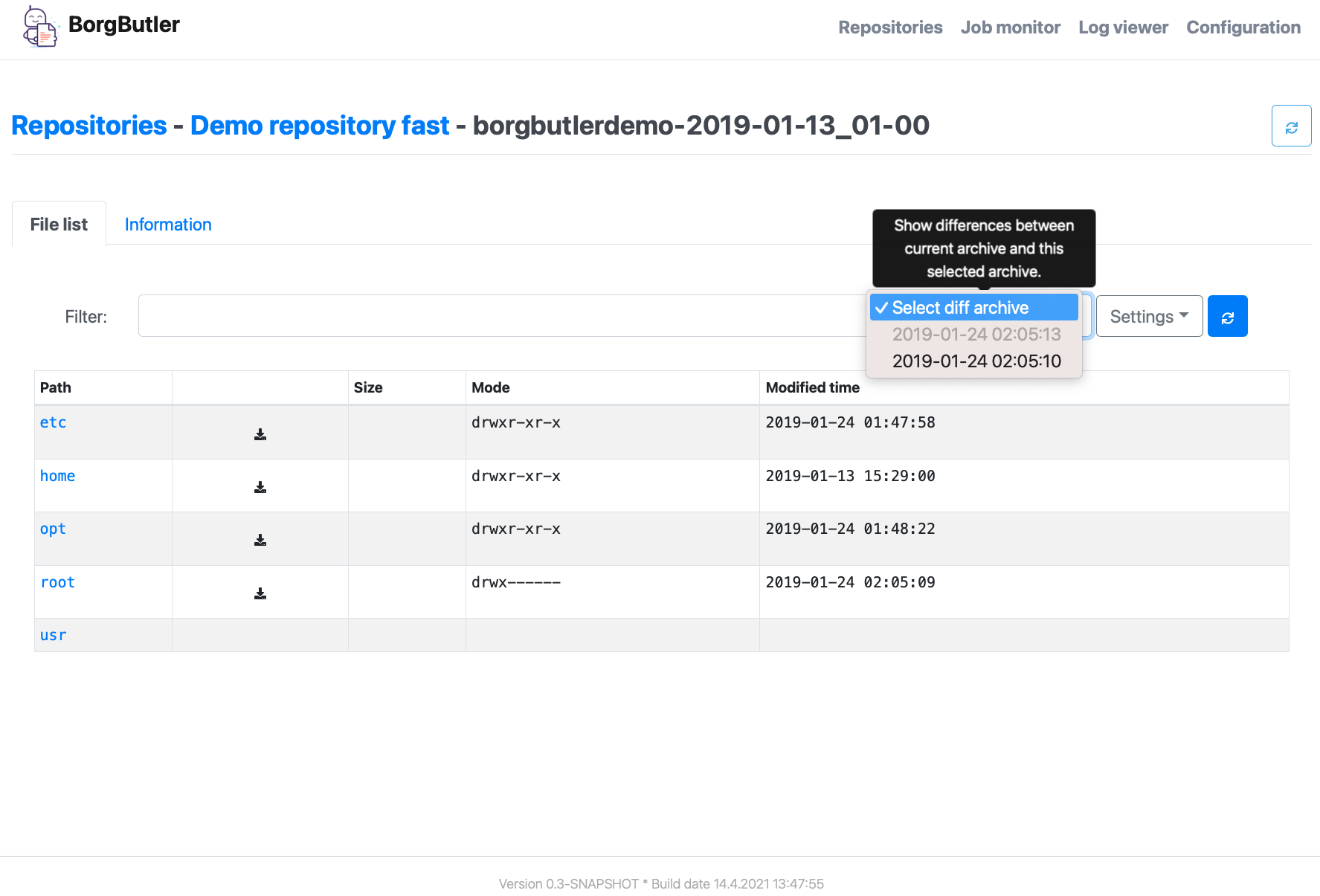
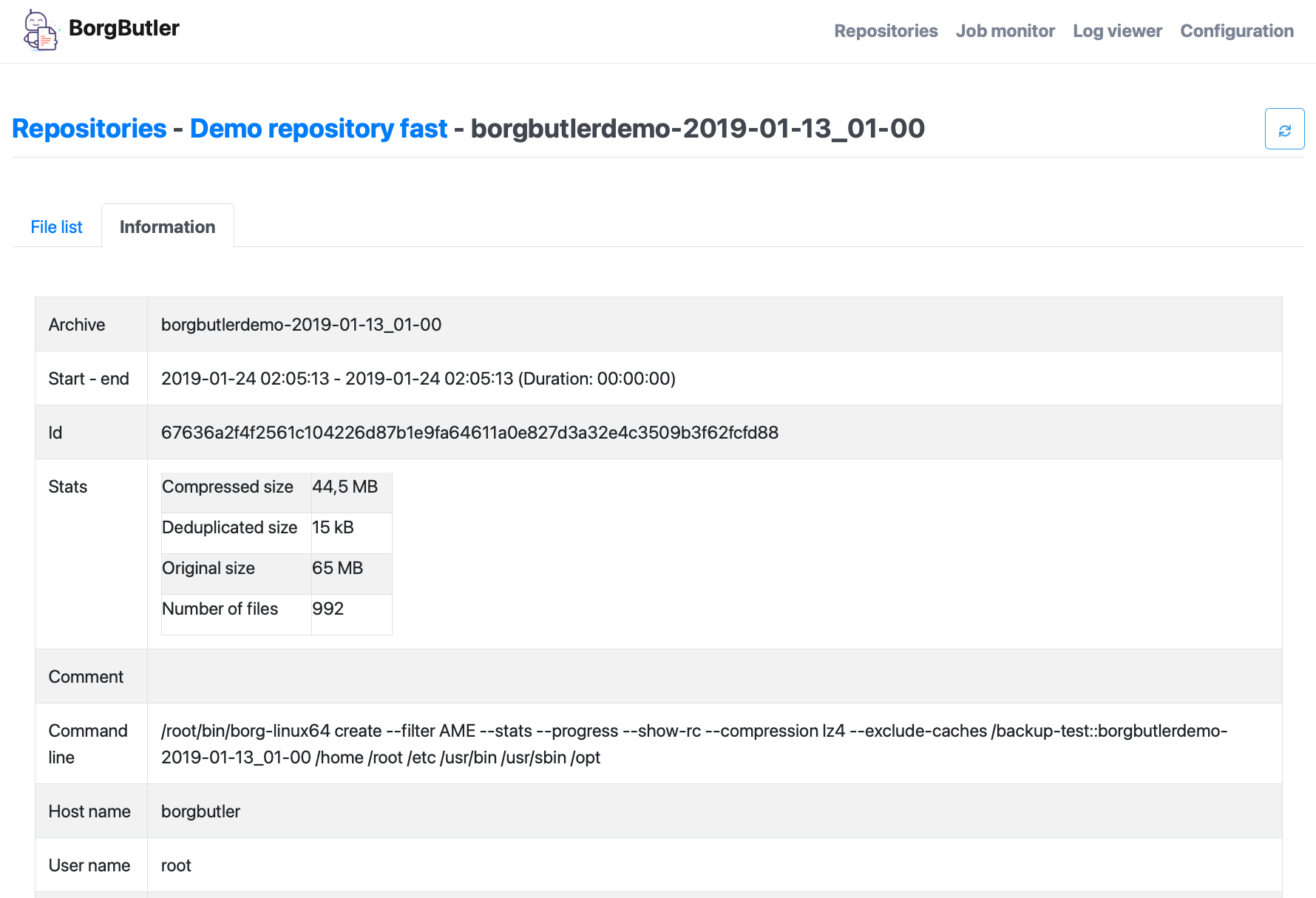
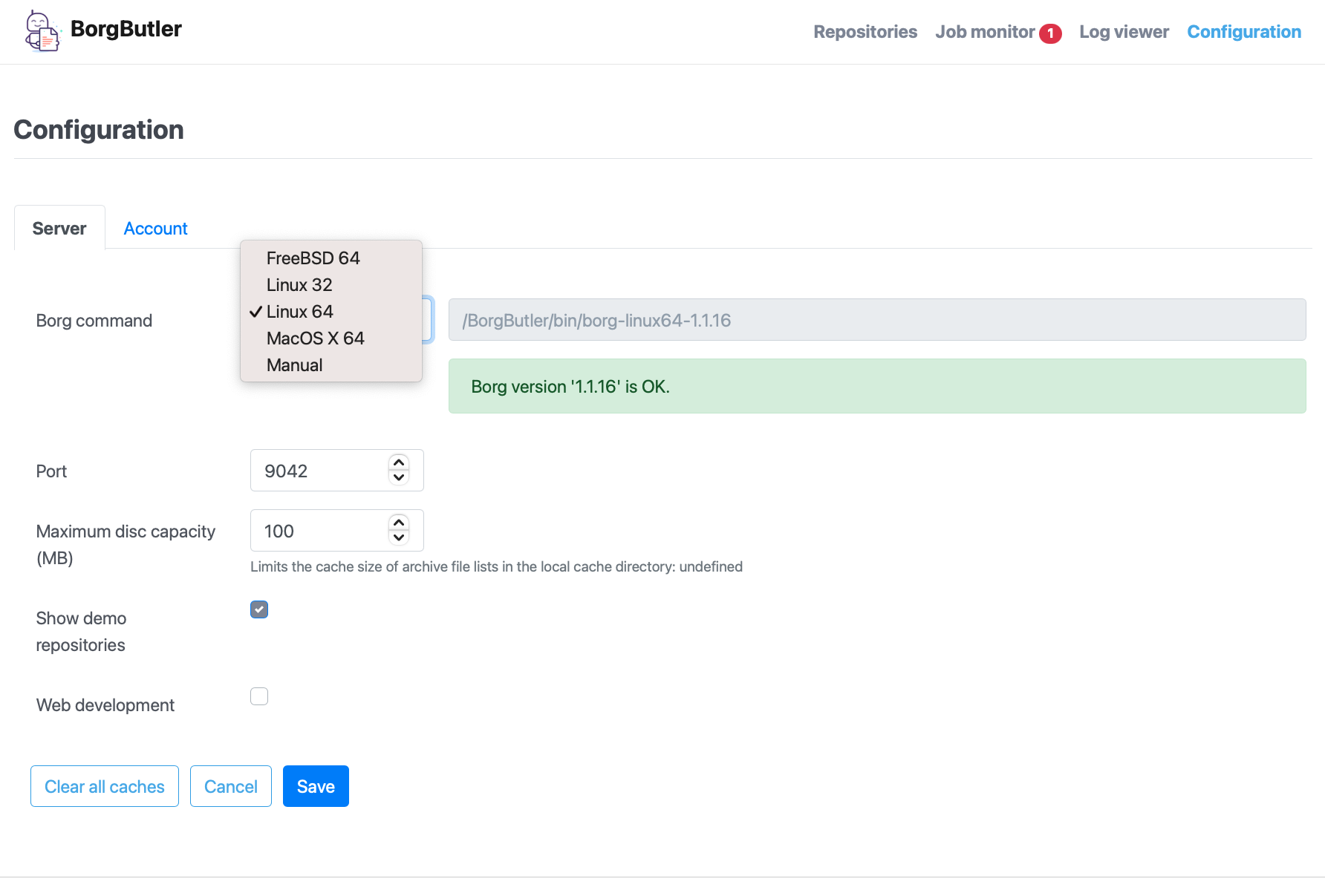
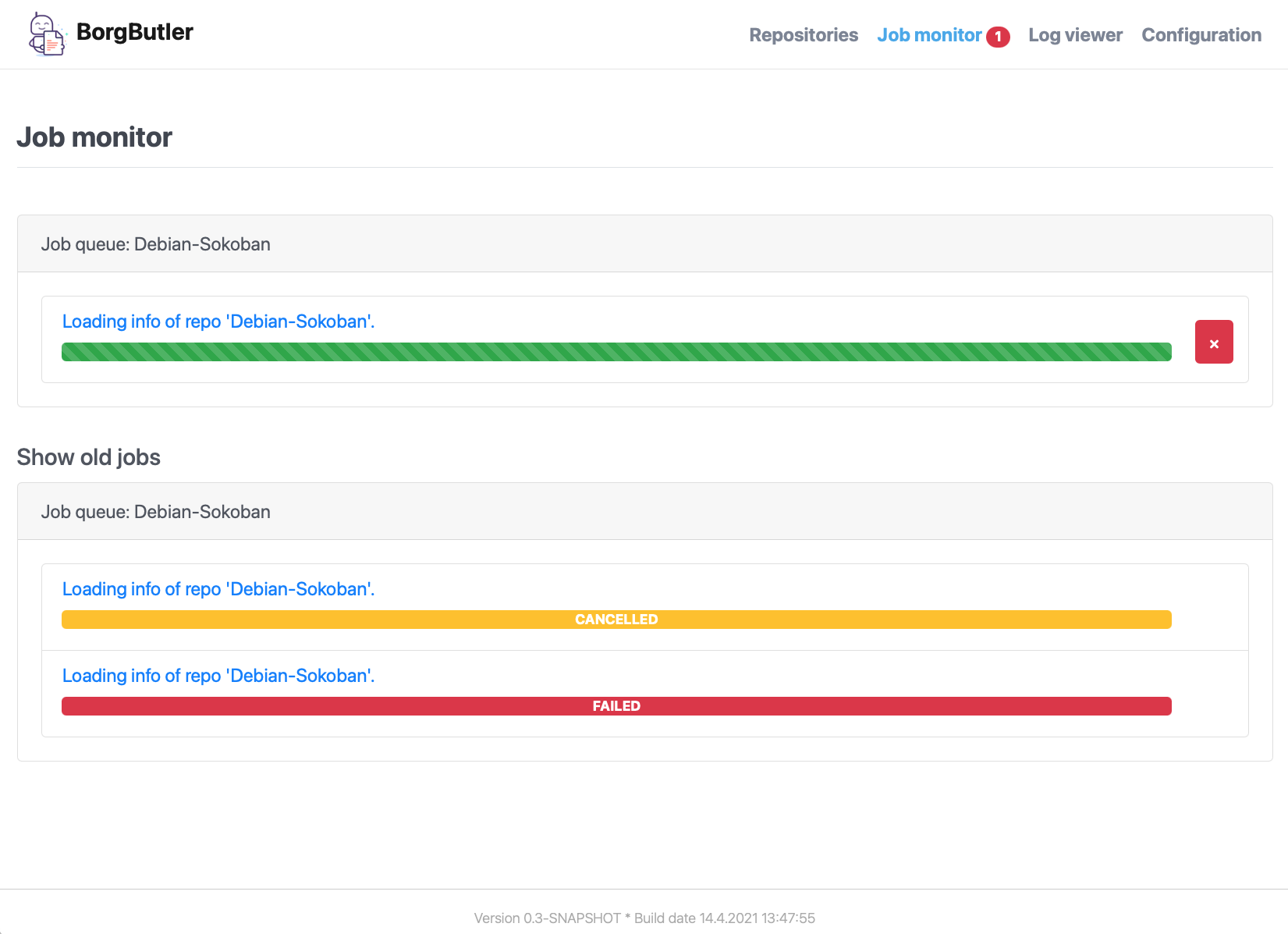
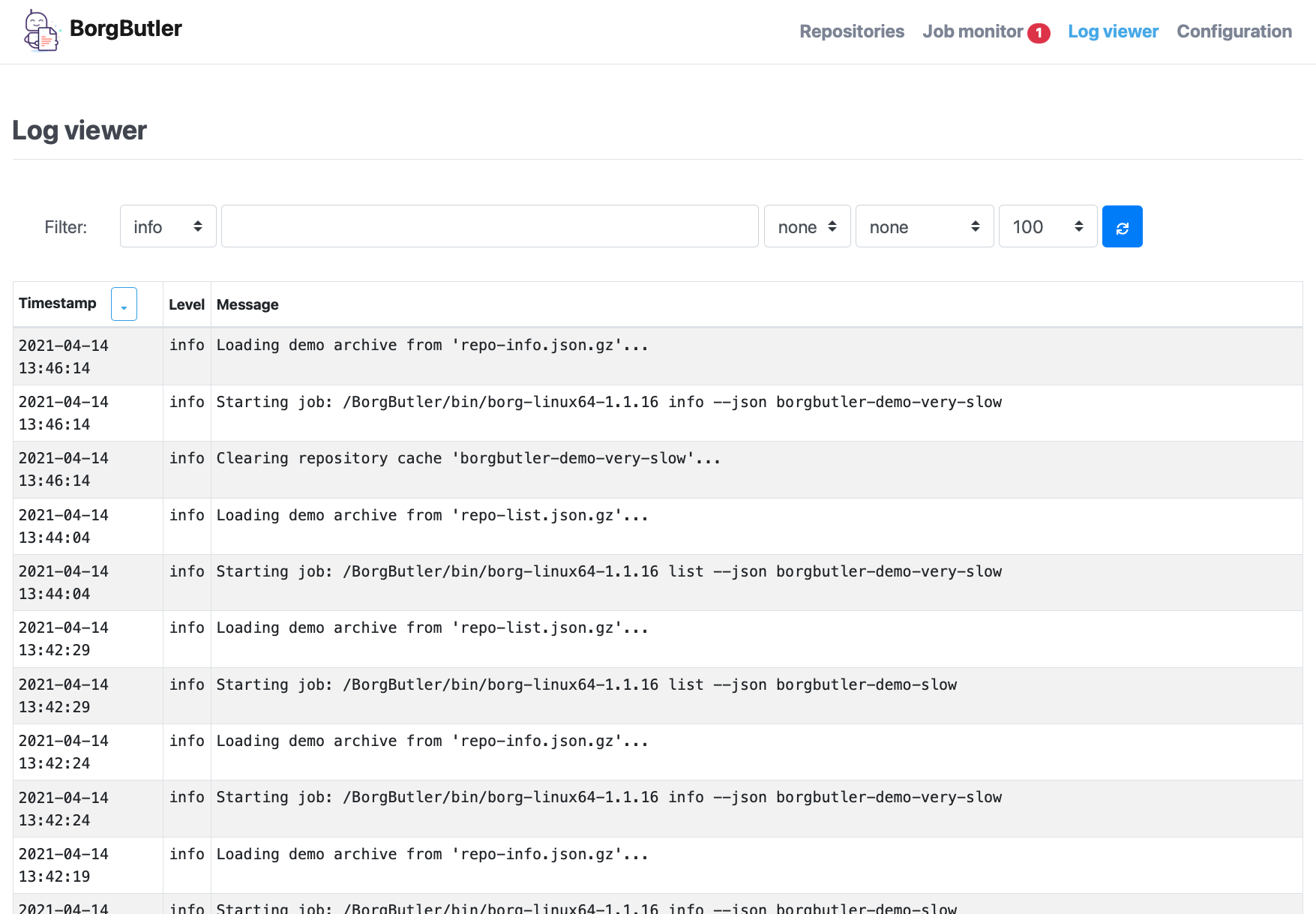
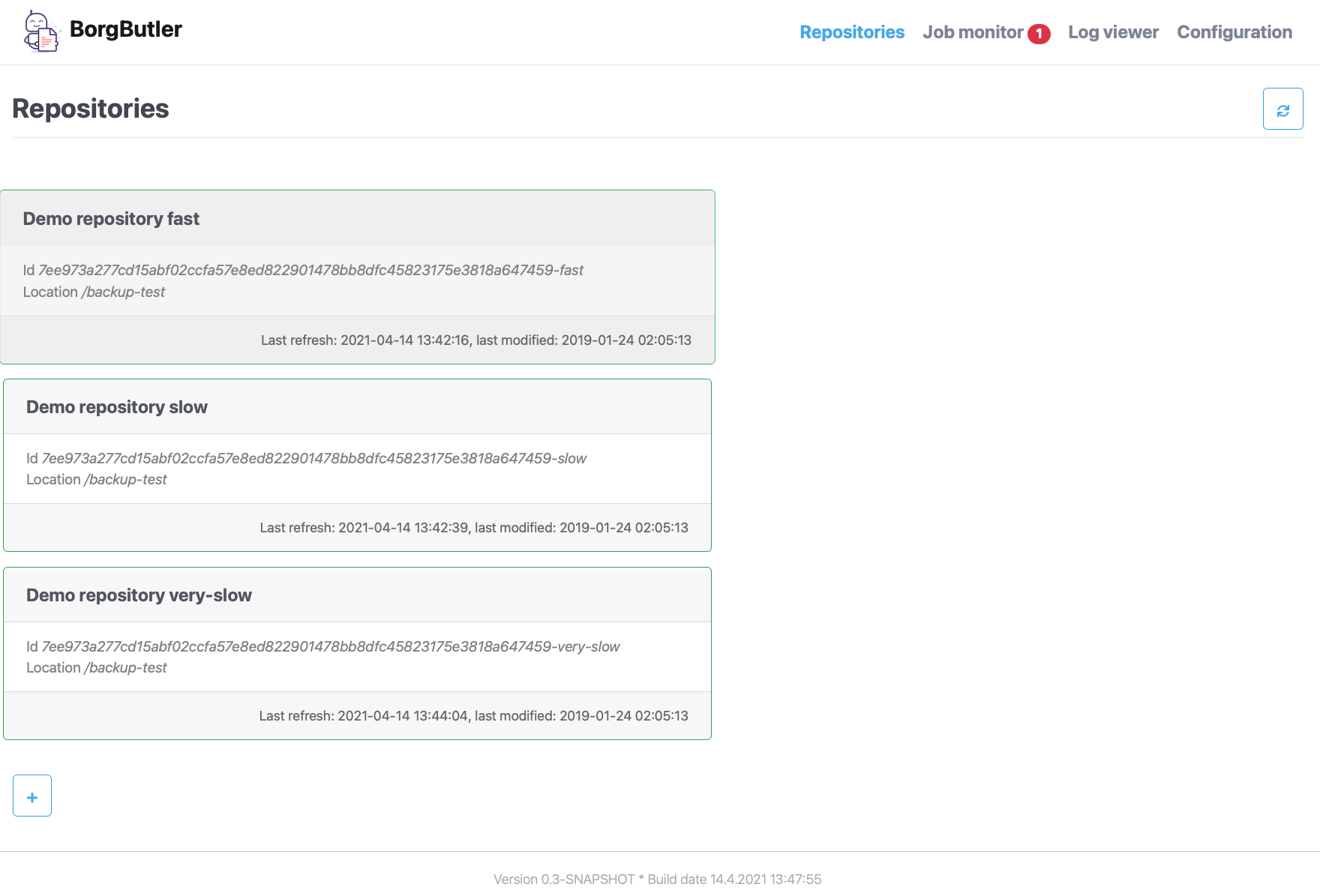
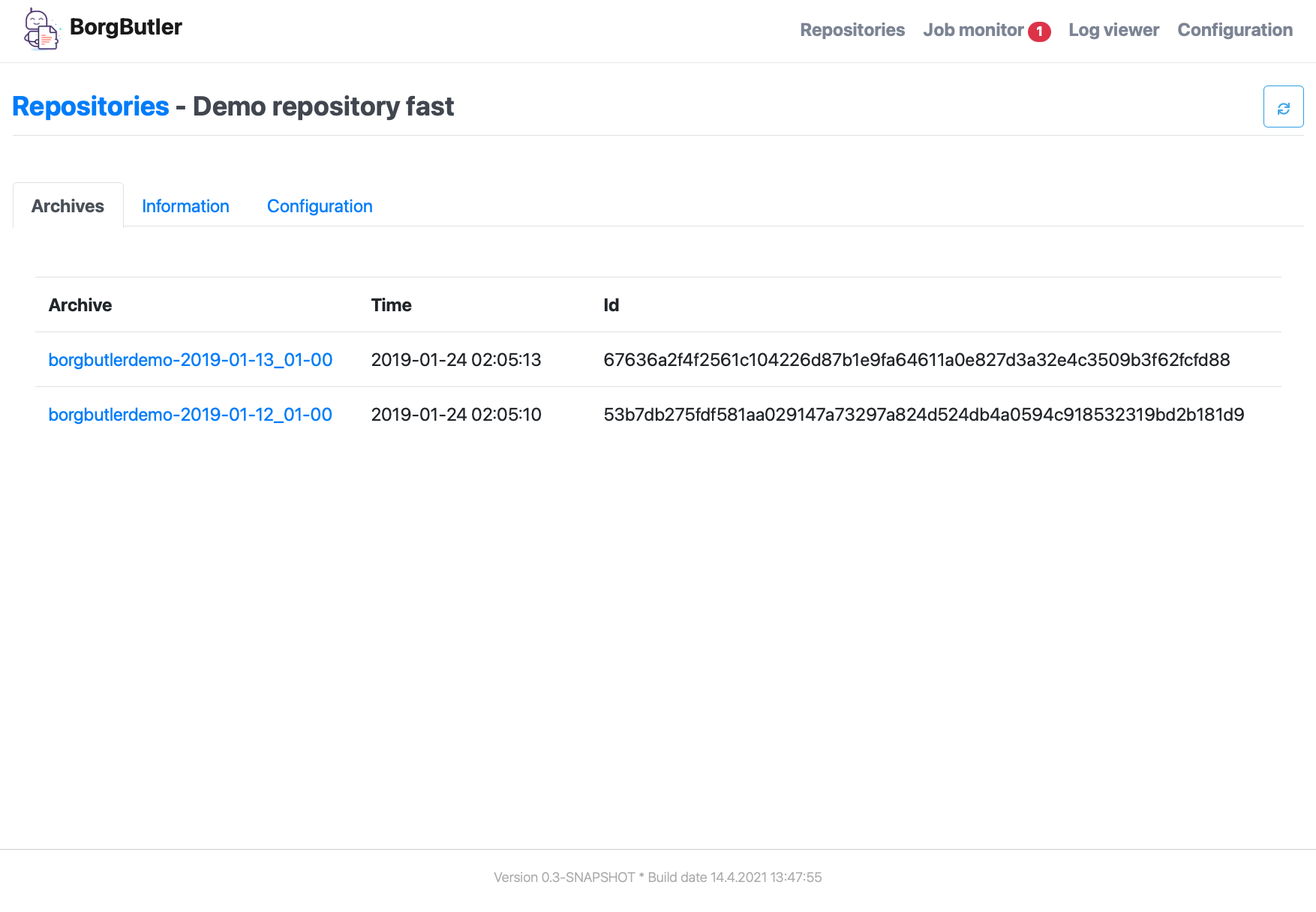
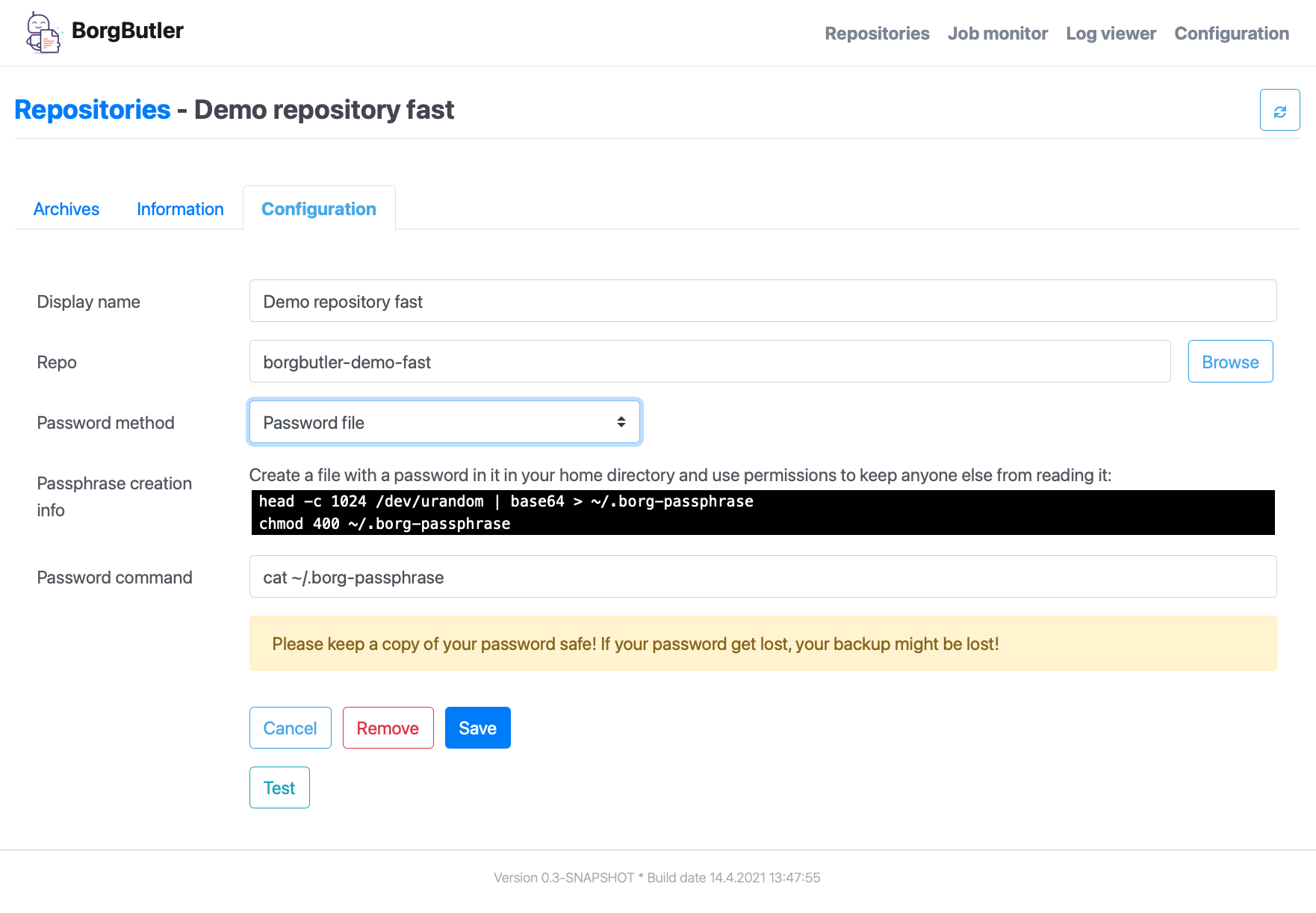
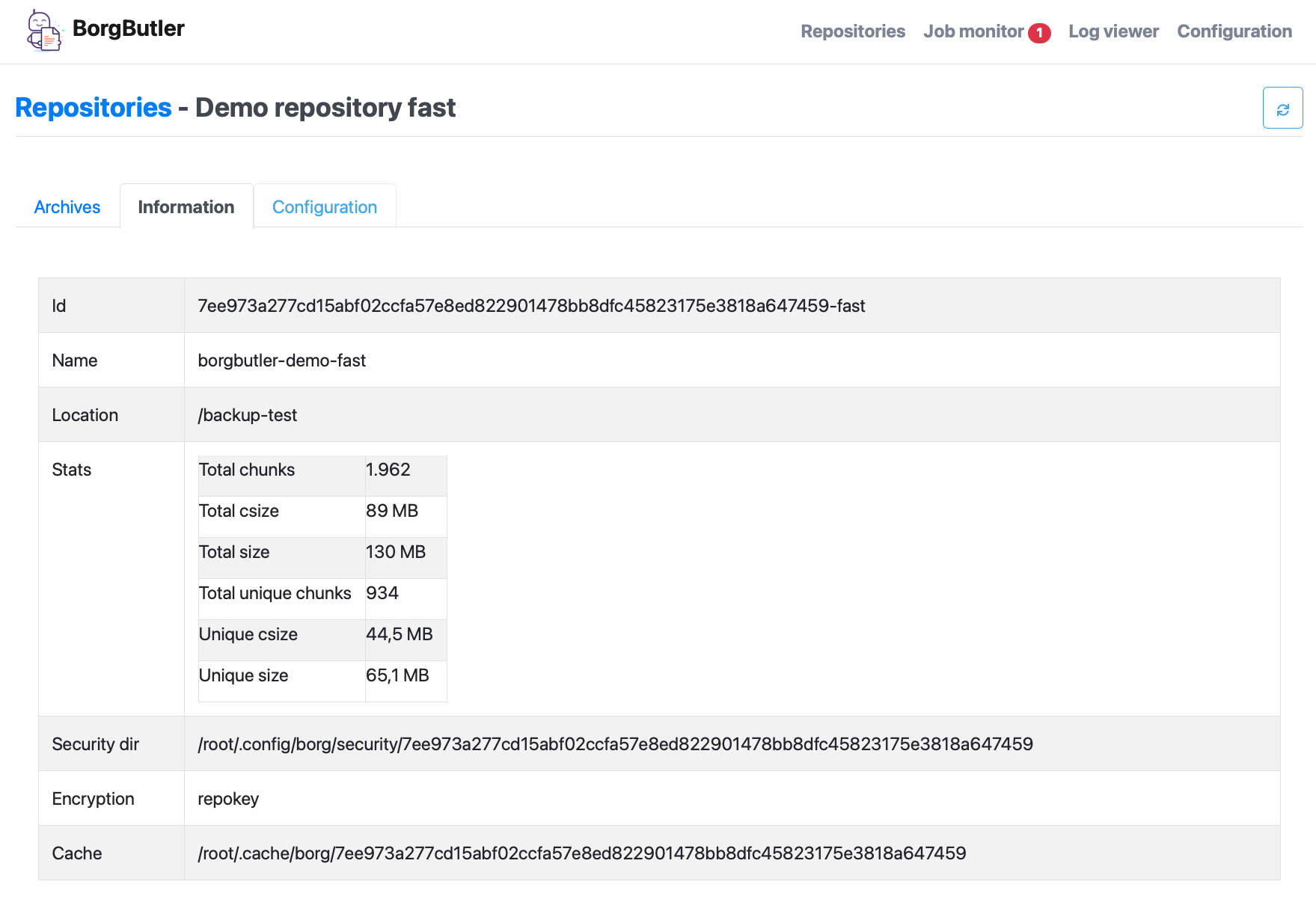
@@ -13,19 +13,53 @@ * Caches remote repo archive information for fast browsing. * Differ functionality to see the differences of backups (files, directories etc.) == At first glance [#img-configuration] You may leave the default values as they are. [link=doc/images/screen-configuration.png] image::doc/images/screen-configuration.png[Configuration of BorgButler,800] [#img-jobmonitor] The job monitor gives an overview of all (long running) processes. You're also able to cancel running jobs. [link=doc/images/screen-jobmonitor.png] image::doc/images/screen-jobmonitor.png[Job monitor,400] [#img-repositories] Borgbutler may manage multiple repositories. [link=doc/images/Screen-repositories.png] image::doc/images/Screen-repositories.png[Multiple repositories,800] [#img-repository-config] Configuration of a repo used by BorgButler. [link=doc/images/screen-repository-config.png] image::doc/images/screen-repository-config.png[Configuration of a repo,800] [#img-repository-archives] Overview of available archives in your BorgBackup repo. [link=doc/images/screen-repository-archives.png] image::doc/images/screen-repository-archives.png[Archives of a repo,800] [#img-archive-filelist] The content of an archive (browseable as tree, searchable). You are also able to compare to archives and see the difference with a view clicks. You may download single files as well as whole directories. [link=doc/images/screen-archive-filelist.png] image::doc/images/screen-archive-filelist.png[Repo info,800] == Quick start === Docker BorgButler working directory `$HOME/.borgbutler` is assumed, but you may define any other. BorgButler working directory `$HOME/BorgButler` is assumed, but you may define any other. 1. `docker run -v $HOME/.borgbutler:/Borgbutler -p 127.0.0.1:9042:9042 --name borgbuttler kreinhard/borgbutler` (exporting of `.ssh` is useful for ssh remotes, otherwise skip this setting.) 1. `docker run -v $HOME/BorgButler:/Borgbutler -p 127.0.0.1:9042:9042 --name borgbuttler kreinhard/borgbutler` (exporting of `.ssh` is useful for ssh remotes, otherwise skip this setting.) 2. Stopping: simly click `CTRL-C`. 3. Restart: `docker start` 4. Stop: `docker stop` Enjoy BorgButler by opening your browser: http://localhost:9042 You may refer the log file through the web browser or in `$HOME/.borgbutler/borgbutler.log`. You may refer the log file through the web browser or in `$HOME/BorgButler/borgbutler.log`. === Starting from sources @@ -35,14 +69,53 @@ Enjoy BorgButler by opening your browser: http://localhost:9042 == Further informatino == Further information === Configuration === Example backup file You can configure it through the webapp or directly (`borgbutler.config`): [source,yaml] ---- borgCommand: "/Users/kai/.borgbutler/bin/borg-macosx64-1.1.8" maxArchiveContentCacheCapacityMb: 200 repoConfigs: - displayName: "ACME - Backup server 1" repo: "ssh://backupserver.acme.com:23/./backups/backup-server1" rsh: "ssh -i /BorgButler/.ssh/acme_rsa" passwordCommand: "security find-generic-password -a $USER -s borg-passphrase -w" id: "8af6c559b07d598af6c559b07d598af6c559b07d598af6c559b07d598af6c559" - displayName: "ACME - Backup server 2" repo: "ssh://backupserver.acme.com:23/./backups/backup-server2" rsh: "ssh -i /BorgButler/.ssh/acme_rsa" passwordCommand: "security find-generic-password -a $USER -s borg-passphrase -w" id: "ae00099254dc44ae00099254dc44ae00099254dc44ae00099254dc44ae000992" - displayName: "Debian - Backup server 1" repo: "ssh://kai@debian.acme.priv/opt/borg-backups/backup-server1" rsh: "" passwordCommand: "security find-generic-password -a $USER -s borg-passphrase -w" id: "not_yet_loaded_1" port: 9042 showDemoRepos: false ---- ==== Backups of configuration files You may configure and initialize your repositories by the BorgButler app. The config file is generated by BorgButler. Before saving a new configuration BorgButler stores a copy of the current configuration in the backup dir: `~/.borgbutler/backup/`. === Profiling heap, cpu and everything using JProfiler JProfiler is an excellent tool for analysing your software. BorgButler was optimized regarding heap memory and CPU usage by using https://www.ej-technologies.com/products/jprofiler/overview.html[JProfiler from EJ Technologies^] == More screens See some more screens to get an first overview of the functionality of BorgButler. [#img-repository-info] Information about your repo. [link=doc/images/screen-repository-info.png] image::doc/images/screen-repository-info.png[Repo info,800] [#img-logviewer] There is a log file available as well as an log viewer including search functionality. [link=doc/images/screen-logviewer.png] image::doc/images/screen-logviewer.png[Log viewer of BorgButler,800]
@@ -2,13 +2,15 @@ import de.micromata.borgbutler.config.Definitions import de.micromata.borgbutler.json.JsonUtils import mu.KotlinLogging import org.apache.commons.io.FileUtils import org.slf4j.LoggerFactory import java.io.File import java.io.IOException import java.text.SimpleDateFormat import java.util.* private val log = KotlinLogging.logger {} /** * Reads and writes config file borgbutler-config.json/borgbutler-config.yaml */ @@ -23,13 +25,22 @@ private fun read() { if (configFile.canRead()) { log.info("Reading config file '" + configFile.absolutePath + "'") val jsonConfigFile = File(workingDir, CONFIG_FILENAME) if (jsonConfigFile.canRead()) { val yaml = FileUtils.readFileToString(jsonConfigFile, Definitions.STD_CHARSET) configuration = YamlUtils.fromYaml(configClazz, yaml) } } else { readOldJson() Legacy.readOldJsonConfigFile(workingDir, OLD_JSON_CONFIG_FILENAME)?.let { configuration = it save() } } try { if (configuration == null) { try { configuration = configClazz.getDeclaredConstructor().newInstance() save() } catch (ex: Exception) { log.error( "Internal error: Can't instantiate object of type '" + configClazz + "': " + ex.message, @@ -48,35 +59,6 @@ } } /** * Backward compability */ private fun readOldJson() { val jsonConfigFile = File(workingDir, OLD_JSON_CONFIG_FILENAME) if (!jsonConfigFile.canRead()) { // Nothing to do return } var json: String? = null if (jsonConfigFile.exists()) { json = FileUtils.readFileToString(jsonConfigFile, Definitions.STD_CHARSET) // Migrate from first version: if (json.contains("repo-configs")) { json = json.replace("repo-configs", "repoConfigs") json = json.replace("display_name", "displayName") } val formatter = SimpleDateFormat("yyyy-MM-dd_HH-mm-ss") val backupFilename = "${formatter.format(Date())}-old-${jsonConfigFile.name}" log.info("Migrating old json config file to yaml file. Renaming old json file '${jsonConfigFile.absolutePath}' to '$backupFilename'.") FileUtils.moveFile(jsonConfigFile, File(jsonConfigFile.parent, backupFilename)) } val newConfig = JsonUtils.fromJson(configClazz, json) ?: // Nothing to do return configuration = newConfig save() } fun save() { configuration?.getRepoConfigs()?.filter { !it.passphrase.isNullOrBlank() }?.forEach { repoConfig -> log.info("Removing password command from config because password command is given: " + repoConfig.passwordCommand) @@ -103,7 +85,6 @@ } companion object { private val log = LoggerFactory.getLogger(ConfigurationHandler::class.java) private var instance: ConfigurationHandler? = null private const val BUTLER_HOME_DIR = ".borgbutler" private const val OLD_JSON_CONFIG_FILENAME = "borgbutler-config.json" @@ -134,6 +115,11 @@ fun setConfigClazz(configClazz: Class<out Configuration>) { Companion.configClazz = configClazz } @kotlin.jvm.JvmStatic fun getConfigClazz(): Class<out Configuration> { return configClazz } } init { borgbutler-core/src/main/kotlin/org/micromata/borgbutler/config/Legacy.kt
New file @@ -0,0 +1,43 @@ package org.micromata.borgbutler.config import de.micromata.borgbutler.config.Definitions import de.micromata.borgbutler.json.JsonUtils import mu.KotlinLogging import org.apache.commons.io.FileUtils import org.slf4j.LoggerFactory import java.io.File import java.io.IOException import java.text.SimpleDateFormat import java.util.* private val log = KotlinLogging.logger {} /** * Legacy functionality for older BorgButler installations. */ object Legacy { /** * Backward compability */ fun readOldJsonConfigFile(workingDir: File, jsonFilename: String): Configuration? { val jsonConfigFile = File(workingDir, jsonFilename) if (!jsonConfigFile.canRead()) { // Nothing to do return null } var json: String? = null if (jsonConfigFile.exists()) { json = FileUtils.readFileToString(jsonConfigFile, Definitions.STD_CHARSET) // Migrate from first version: if (json.contains("repo-configs")) { json = json.replace("repo-configs", "repoConfigs") json = json.replace("display_name", "displayName") } val formatter = SimpleDateFormat("yyyy-MM-dd_HH-mm-ss") val backupFilename = "${formatter.format(Date())}-old-${jsonConfigFile.name}" log.info("Migrating old json config file to yaml file. Renaming old json file '${jsonConfigFile.absolutePath}' to '$backupFilename'.") FileUtils.moveFile(jsonConfigFile, File(jsonConfigFile.parent, backupFilename)) } return JsonUtils.fromJson(ConfigurationHandler.getConfigClazz(), json) } } borgbutler-docker/buildDocker.sh
@@ -11,5 +11,5 @@ echo "Building docker file..." (cd app; docker build -t kreinhard/borgbutler .) echo "Push: docker push kreinhard/boprgbutler:tagname" echo "Run with 'docker run -v $HOME/.borgbutler:/Borgbutler -p 127.0.0.1:9042:9042 --name borgbuttler kreinhard/borgbutler'" echo "Push: docker push kreinhard/borgbutler:tagname" echo "Run with 'docker run -v $HOME/BorgButler:/BorButler -p 127.0.0.1:9042:9042 --name borgbuttler kreinhard/borgbutler'" borgbutler-server/src/main/java/de/micromata/borgbutler/server/ServerConfiguration.java
@@ -1,10 +1,8 @@ package de.micromata.borgbutler.server; import com.fasterxml.jackson.annotation.JsonProperty; import de.micromata.borgbutler.cache.ButlerCache; import org.apache.commons.lang3.StringUtils; import org.micromata.borgbutler.config.Configuration; import org.micromata.borgbutler.config.ConfigurationHandler; import org.apache.commons.lang3.StringUtils; import org.slf4j.Logger; import org.slf4j.LoggerFactory; @@ -18,10 +16,6 @@ private int port = WEBSERVER_PORT_DEFAULT; private boolean webDevelopmentMode = WEB_DEVELOPMENT_MODE_PREF_DEFAULT; @JsonProperty public String getCacheDir() { return ButlerCache.getInstance().getCacheDir().getAbsolutePath(); } public static ServerConfiguration get() { return (ServerConfiguration)ConfigurationHandler.getConfiguration(); doc/images/screen-RepoSetings.png