mirror of https://github.com/theNewDynamic/gohugo-theme-ananke.git
The intent of this theme is to provide a solid starting place for Hugo sites with basic features and include best practices for performance, accessibility, and rapid development.
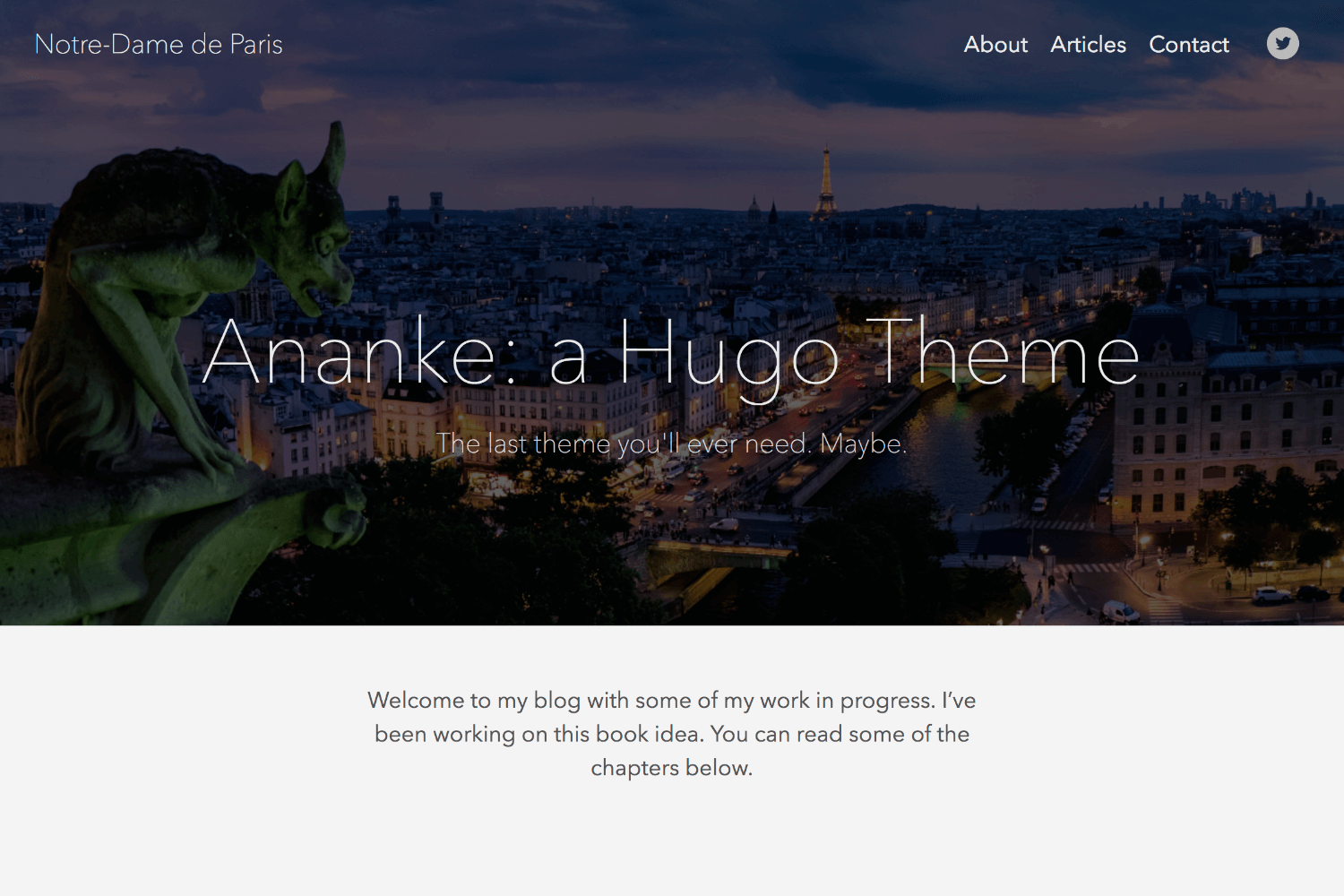
Features
toc: true in post parameter)Also includes examples of Hugo Features or Functions:
withHUGO_ENVfirstaftersortwherelenge (greater than or equal to).Site.Params.mainSections to avoid hard-coding "blog," etc. [release note]This theme uses the "Tachyons" CSS library. This will allow you to manipulate the design of the theme by changing class names in HTML without touching the original CSS files. For more information see the Tachyons website.
Inside the folder of your Hugo site run:
$ cd themes
$ git clone https://github.com/budparr/gohugo-theme-ananke.git
For more information read the official setup guide of Hugo.
After installing the theme successfully it requires a just a few more steps to get your site running.
Take a look inside the exampleSite folder of this theme. You'll find a file called config.toml. To use it, copy the config.toml in the root folder of your Hugo site. Feel free to change the strings in this theme.
You may need to delete the line: themesDir = "../.."
To enable DISQUS comments, add disqusShortname = YOURSHORTNAME to your config file.
For any page or post you can add a featured image by including the local path in front matter (see content in the ExampleSite folder for examples): featured_image: '/images/gohugo-default-sample-hero-image.jpg'
You don't need an image though. The default background color is black, but you can change the color, by changing the default color class in the config.toml file. Choose a background color from any on the Tachyons library site, and preface it with "bg-"
example: background_color_class = "bg-blue" or background_color_class = "bg-gray"
This theme includes a shortcode for a contact form that you can add to any page (there is an example on the contact page in the exampleSite folder). One option is to use formspree.io as proxy to send the actual email. Each month, visitors can send you up to one thousand emails without incurring extra charges. Visit the Formspree site to get the "action" link and add it to your shortcode like this:
{{< form-contact action="http://formspree.io/your@email.com" >}}
The theme is set, by default, to use a near-white background color and the "Avenir" or serif typeface. You can change these in your config file with the body_classes parameter, like this:
[params]
  body_classes = "avenir bg-near-white"
which will give you a body class like this:
<body class="avenir bg-near-white">
You can find a list of available typefaces here.
And a list of background colors here.
n.b. in future versions we will likely separate the typeface and other body classes.
In order to see your site in action, run Hugo's built-in local server.
$ hugo server
Now enter localhost:1313 in the address bar of your browser.
If you find a bug or have an idea for a feature, feel free to use the issue tracker to let me know.
TODO:
The MIT License (MIT)
Copyright (c) 2016 Bud Parr
Permission is hereby granted, free of charge, to any person obtaining a copy of
this software and associated documentation files (the "Software"), to deal in
the Software without restriction, including without limitation the rights to
use, copy, modify, merge, publish, distribute, sublicense, and/or sell copies of
the Software, and to permit persons to whom the Software is furnished to do so,
subject to the following conditions:
The above copyright notice and this permission notice shall be included in all
copies or substantial portions of the Software.
THE SOFTWARE IS PROVIDED "AS IS", WITHOUT WARRANTY OF ANY KIND, EXPRESS OR
IMPLIED, INCLUDING BUT NOT LIMITED TO THE WARRANTIES OF MERCHANTABILITY, FITNESS
FOR A PARTICULAR PURPOSE AND NONINFRINGEMENT. IN NO EVENT SHALL THE AUTHORS OR
COPYRIGHT HOLDERS BE LIABLE FOR ANY CLAIM, DAMAGES OR OTHER LIABILITY, WHETHER
IN AN ACTION OF CONTRACT, TORT OR OTHERWISE, ARISING FROM, OUT OF OR IN
CONNECTION WITH THE SOFTWARE OR THE USE OR OTHER DEALINGS IN THE SOFTWARE.


